
Moderation
Auto Slowmode
Busy channels get a slowmode that rises with the rush and resets once calm.
How it works
Pick the Channels to watch. When one gets Busy At messages within 10 seconds, Guard turns on a slowmode.
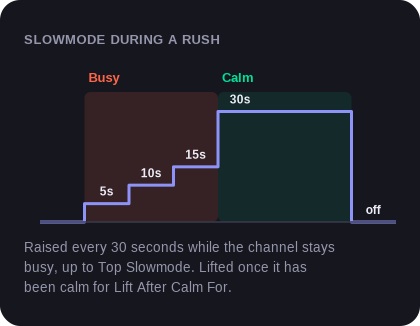
- While it stays busy, the slowmode is raised every 30 seconds (5s, 10s, 15s, 30s…) up to Top Slowmode.
- Once it's calm for Lift After Calm For, it goes back to what it was, even after a restart.
- A slowmode someone else changed in the meantime is left alone.
Setting it up
Turn it on in /settings → Moderation → Auto Slowmode.