
Add Guard
Invite Guard to your server and put its role where it can protect you.
Invite the bot
Use the Add to Discord button on the home page. You need Manage Server in the server you add it to.
The invite asks for Administrator. Anti-nuke needs it to contain a rogue admin and to restore what they deleted.
If you'd rather not, untick it on Discord's invite screen and give Guard the
individual permissions instead. Each feature's page in /settings tells you
what's missing.
Move Guard's role to the top
Discord only lets a bot act on members whose highest role is below its own. Drag Guard's role above every staff role in Server Settings → Roles.
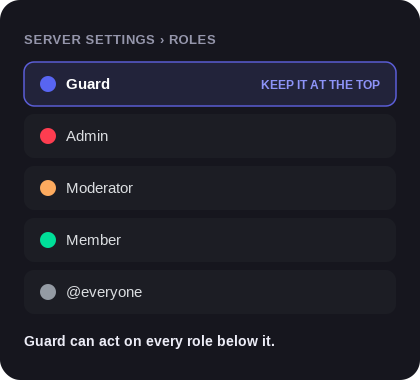
Members with a role above Guard's can't be timed out, kicked, banned or contained by anti-nuke.
Run Quick Setup
Run /settings and press Quick Setup. Pick a log channel and Guard turns on its core protection in one step. See
Quick Setup.
Tune it
Open each feature from the /settings home page. The Protection and
Moderation docs explain every option.